
Grouping Modes
At the top of the Layout Tab, use the segmented control to switch between the two core structural strategies:1. By Priority Mode
In By Priority mode, pages are sequenced strictly according to the layout importance assigned to each product.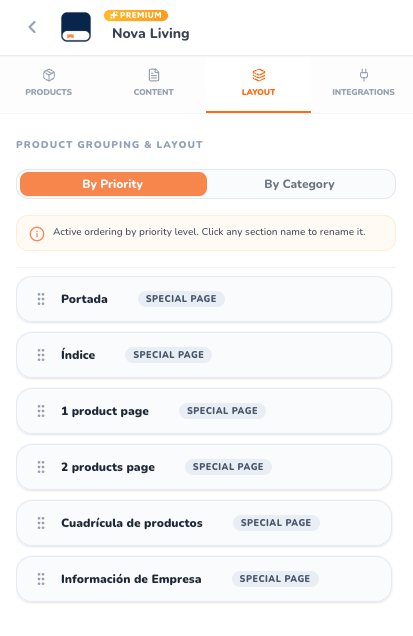
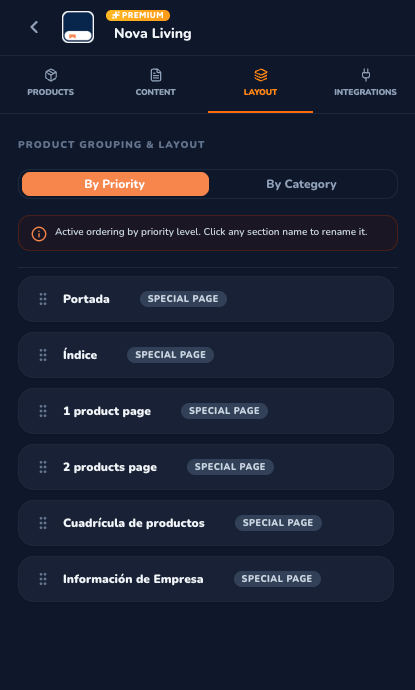
By Priority Mode in the Layout Tab — Light & Dark Modes
How By Priority Works:
- Sequential Hierarchy: Pages flow from the most prominent featured items down to compact multi-product grids:
- Portada (Cover): Special front cover page.
- Índice (Table of Contents): Automated chapter index.
- 1 product page (Featured / 1st Priority): Full-page high-impact displays.
- 2 products page (Premium / 2nd Priority): Half-page balanced layouts.
- Cuadrícula de productos (Grid / 3rd Priority): Multi-product grid spreads.
- Información de Empresa (Organization Page): Special back cover contact page.
- Best Used For: Promotional campaigns, seasonal lookbooks, and sales brochures where top-tier products must capture customer attention before standard catalog items.
2. By Category Mode
In By Category mode, products are grouped into distinct thematic chapters based on their assigned product category.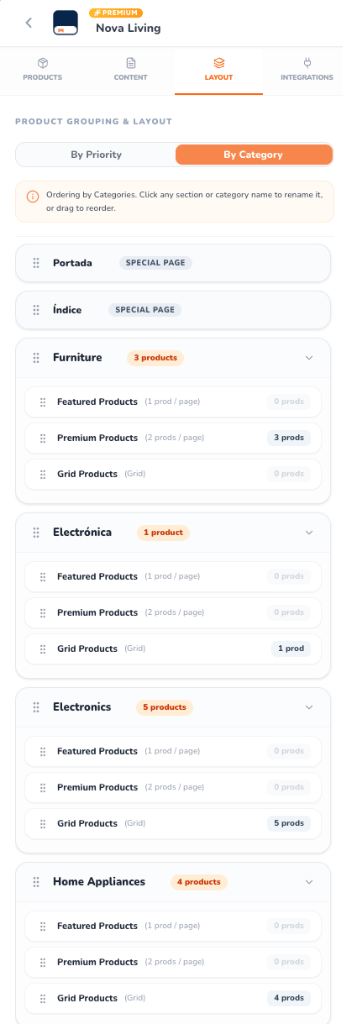
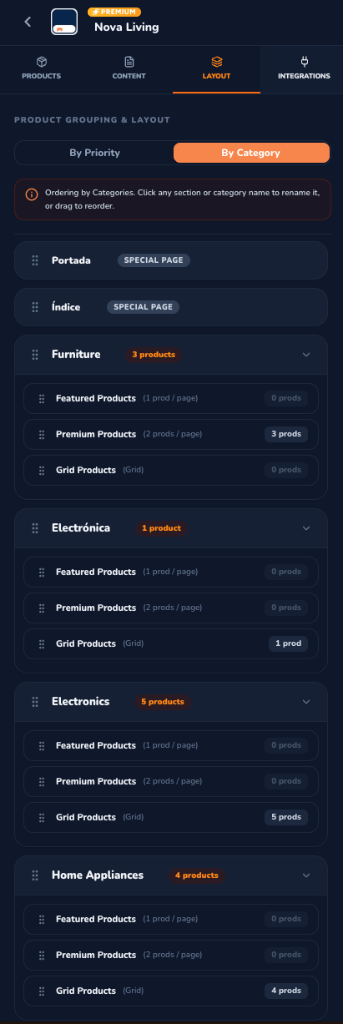
By Category Mode in the Layout Tab — Light & Dark Modes
How By Category Works:
- Thematic Chapters: Categories (e.g., Furniture, Electrónica, Electronics, Home Appliances) act as independent sections.
- Category Counter Badges: Displays the total count of products contained within each category (e.g.,
3 products,5 products). - Sub-tier Accordion Structure: Expanding a category reveals its internal layout tiers:
- Featured Products (1 prod / page)
- Premium Products (2 prods / page)
- Grid Products (Grid)
- Sub-tier Product Counters: Real-time badges indicate how many products in that category belong to each priority tier (e.g.,
3 prods,4 prods, or0 prods). - Best Used For: Comprehensive wholesale catalogs, retail department guides, and multi-brand catalogs where readers shop by department.
Interactive Customization Features
Drag-and-Drop Reordering
Use the grip handles (⠿) to reorder entire categories or rearrange the sequence of special pages. You can also reorder sub-tiers within each category to dictate whether featured items or grid spreads appear first.
Click-to-Rename Sections
Click on any section title or category name to edit it inline. Press Enter or click the checkmark to save. Custom section names automatically update on catalog page headers and the Table of Contents.
Automated Page Math
Whenever you change grouping modes or reorder sections, CatalogBuilderApp recalculates spreads, pagination, and page splits dynamically without manual redesigning.
Special Page Locking
Special pages (such as the Table of Contents or Organization Back Cover) display clear Plus badges if your plan requires an upgrade, with instant one-click unlocking modals.