
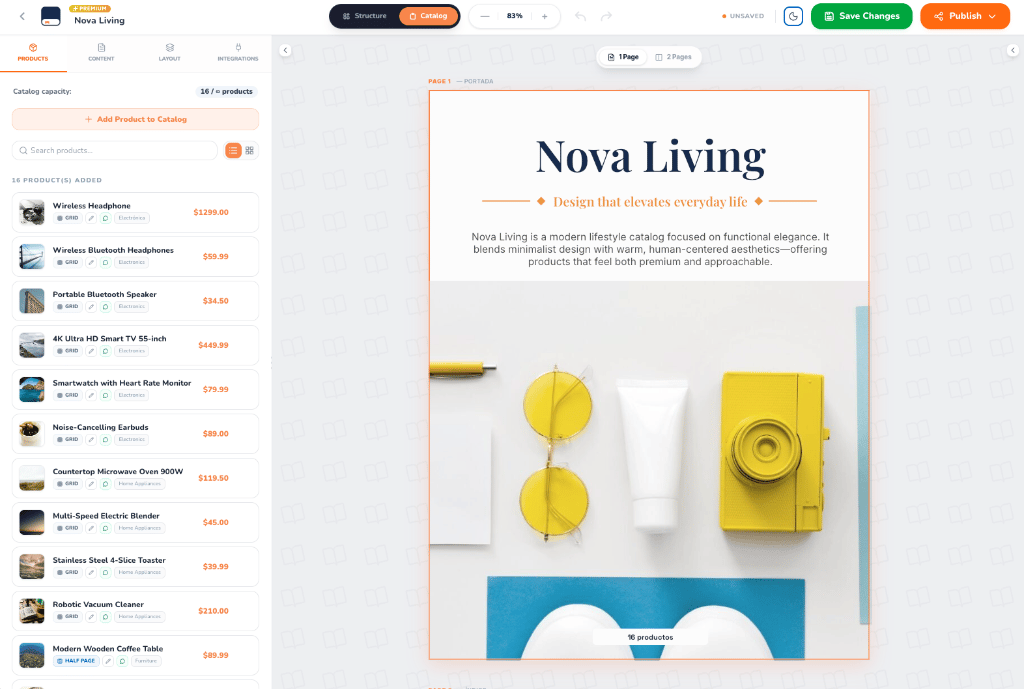
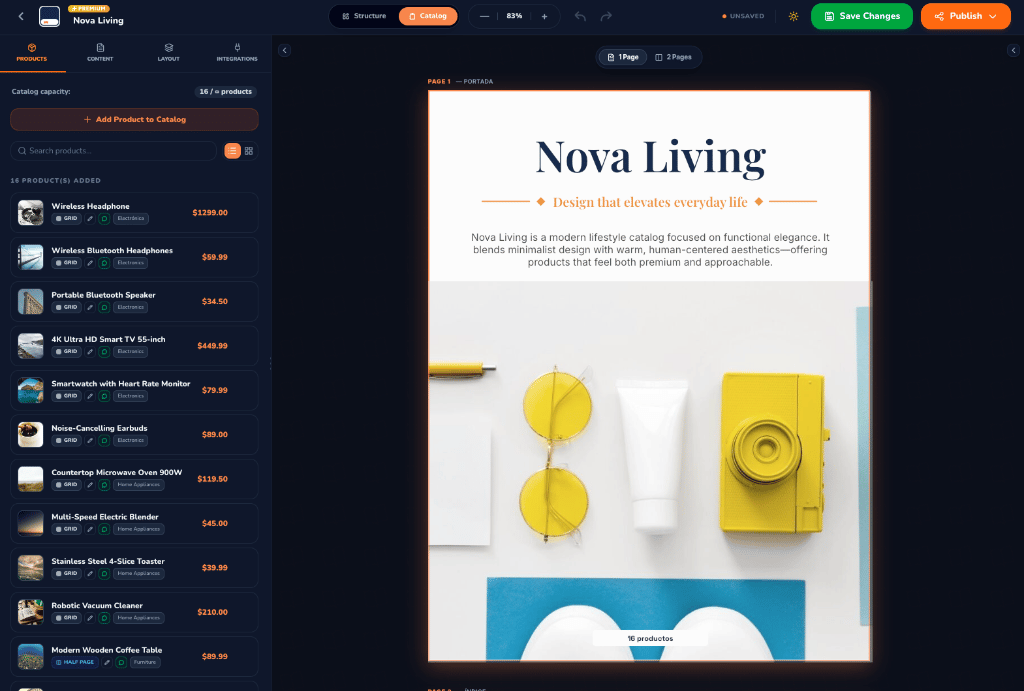
CatalogBuilderApp Visual Editor — Light & Dark Modes
What is the Catalog Editor?
The Catalog Editor provides a live, interactive environment where what you see is exactly what your customers experience. As you add products, modify prices, or change layout configurations, the editor updates the canvas in real time. Whether you are preparing a digital flipbook for mobile devices or a high-resolution PDF for printing, the editor handles layout calculations, typography scaling, and pagination automatically.Workspace Structure & How it Works
The editor interface is organized into three primary areas: the Top Navigation Bar, the Left Sidebar Panel, and the Interactive Canvas.1. Top Navigation Bar
The top bar gives you instant access to global controls and project actions:- Breadcrumb & Catalog Title: View your organization name, active catalog title, and tier badge (e.g.,
PREMIUM). - Editing Mode Switcher:
- Catalog Mode: The default mode for managing catalog contents—assign products, adjust cover texts, configure contact details, and manage publishing settings.
- Structure Mode: Advanced mode to design repeating layout templates, product card geometries, header/footer elements, and master styling.
- Canvas Zoom Controls: Zoom out, zoom in, or view the current scale percentage (e.g.,
83%) to inspect fine details. - History (Undo / Redo): Quickly revert or reapply changes with single-click undo and redo buttons.
- Save Status & Save Changes: Monitor real-time status indicators (
UNSAVED/SAVED) and save modifications with the green Save Changes button. - Dark / Light Mode Toggle: Switch between an ultra-sleek dark interface and a crisp light theme with a single click.
- Publish Button: The primary orange action button that opens the publication and sharing menu.
2. Left Sidebar Panel
The left sidebar features 4 dedicated tabs tailored for streamlined catalog customization:- Products
- Content
- Layout
- Integrations
Manage your catalog’s product inventory and display hierarchy:
- Catalog Capacity: Track active items against your plan limit (e.g.,
16 / ∞ products). - Add Product to Catalog: Add individual items or bulk-import new products on the fly.
- Search & View Filters: Quickly find products by name or switch between list and grid views.
- Product Cards: Reorder products, inspect layout badges (
GRID,HALF PAGE,FULL PAGE), edit prices, and view category tags.
3. Interactive Canvas
The central canvas renders your catalog with pixel precision:- Page-by-Page Navigation: Jump seamlessly between pages using the canvas navigation arrows or pagination indicators.
- View Modes (
1 Page/2 Pages): Switch between single-page view or double-page spread (magazine view) to see how spreads align. - Live Section Headers: Clearly identified page markers such as
PAGE 1 — PORTADAandPAGE 2 — ÍNDICE.
Ways to Share Your Catalog
Once your catalog is ready, click the orange Publish button in the top navigation bar to access sharing and export options.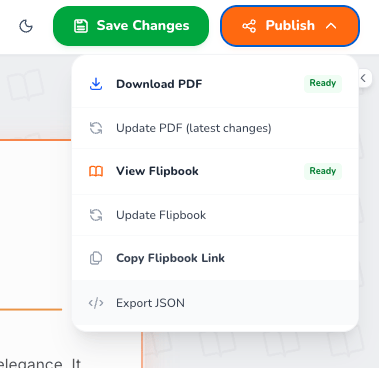
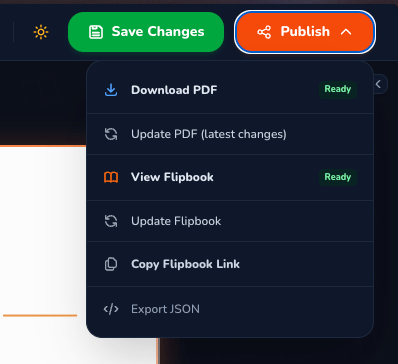
Catalog Sharing and Publishing Menu
⭐ Dedicated Flipbook URL:
Every catalog in CatalogBuilderApp has its own unique, permanent Flipbook URL. Whenever you update products, prices, or images, the URL remains the same—your customers always see the most up-to-date version without needing to download new files or receive new links!
Available Publishing & Sharing Options
View Flipbook
Opens the live interactive digital flipbook in a new tab. Features realistic 3D page turns, full mobile responsiveness, pinch-to-zoom, and smooth navigation.
Copy Flipbook Link
Copies the unique public URL to your clipboard. Perfect for sharing via WhatsApp, embedding in social media profiles, sending in marketing emails, or linking to QR codes.
Download PDF
Downloads the high-resolution vector PDF version of your catalog, fully optimized for printing or offline document distribution.
Update PDF (Latest Changes)
Re-renders and updates the existing PDF document with any recent edits, new products, or updated pricing saved in the editor.
Update Flipbook
Synchronizes your saved catalog changes directly to the live Flipbook URL in seconds, keeping your digital publication continuously updated.
Export JSON
Exports the complete catalog structure, product data, and layout parameters as a clean JSON file for backups or developer integrations.